Change words the way you’d change a document
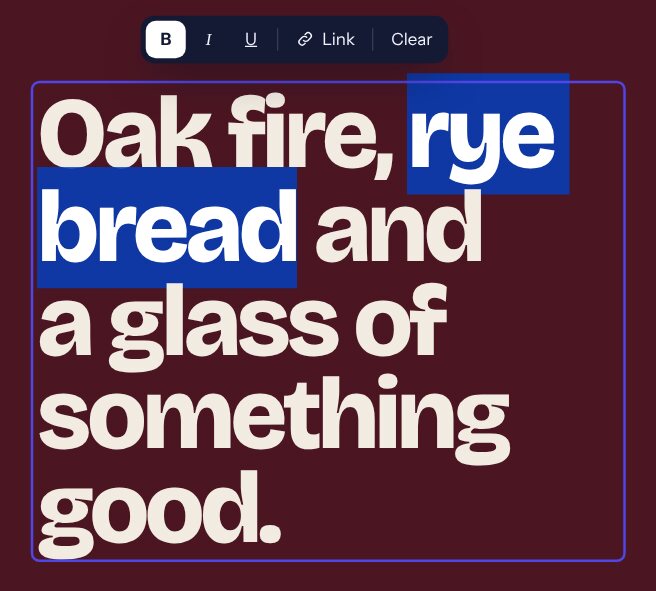
Click any headline or paragraph and type. Select words to make them bold, italic, underlined or a link.
- Pasted text is cleaned, so the design never breaks
- Discard brings everything back until you publish
Upload the HTML that Claude, ChatGPT, Lovable or your designer gave you. PageLift turns it into a WordPress page that looks exactly the same, and you change any word, picture or section just by clicking on it.
One-time price. 30-day refund if it isn’t right for you.
Works with pages from Claude, ChatGPT, Gemini, Lovable, Bolt, v0, plus templates, designers’ files and older HTML sites.

AI tools write beautiful pages in minutes. Then you need to fix a price, swap a photo or add a testimonial, and you’re stuck with three bad choices.
PageLift is the fourth choice: keep the page exactly as it is, and make every part of it editable.
Get PageLiftNo code, no rebuilding, no theme changes. If you can upload a photo to WordPress, you can use PageLift.
Upload the .html file or a .zip with its images, or paste the code. PageLift becomes a normal WordPress page.
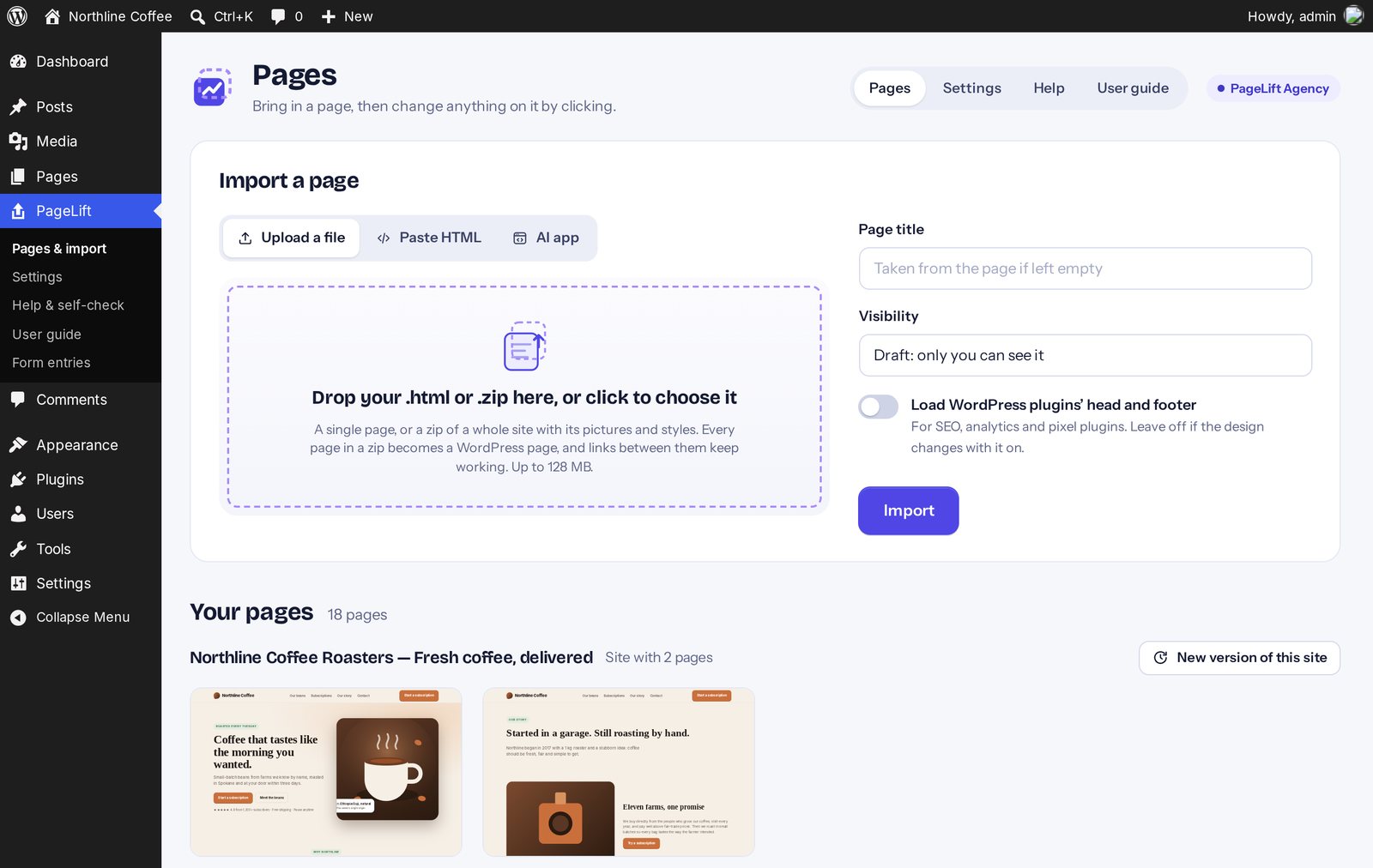
Words, links, buttons, pictures, background photos and whole sections. You edit right on the page.
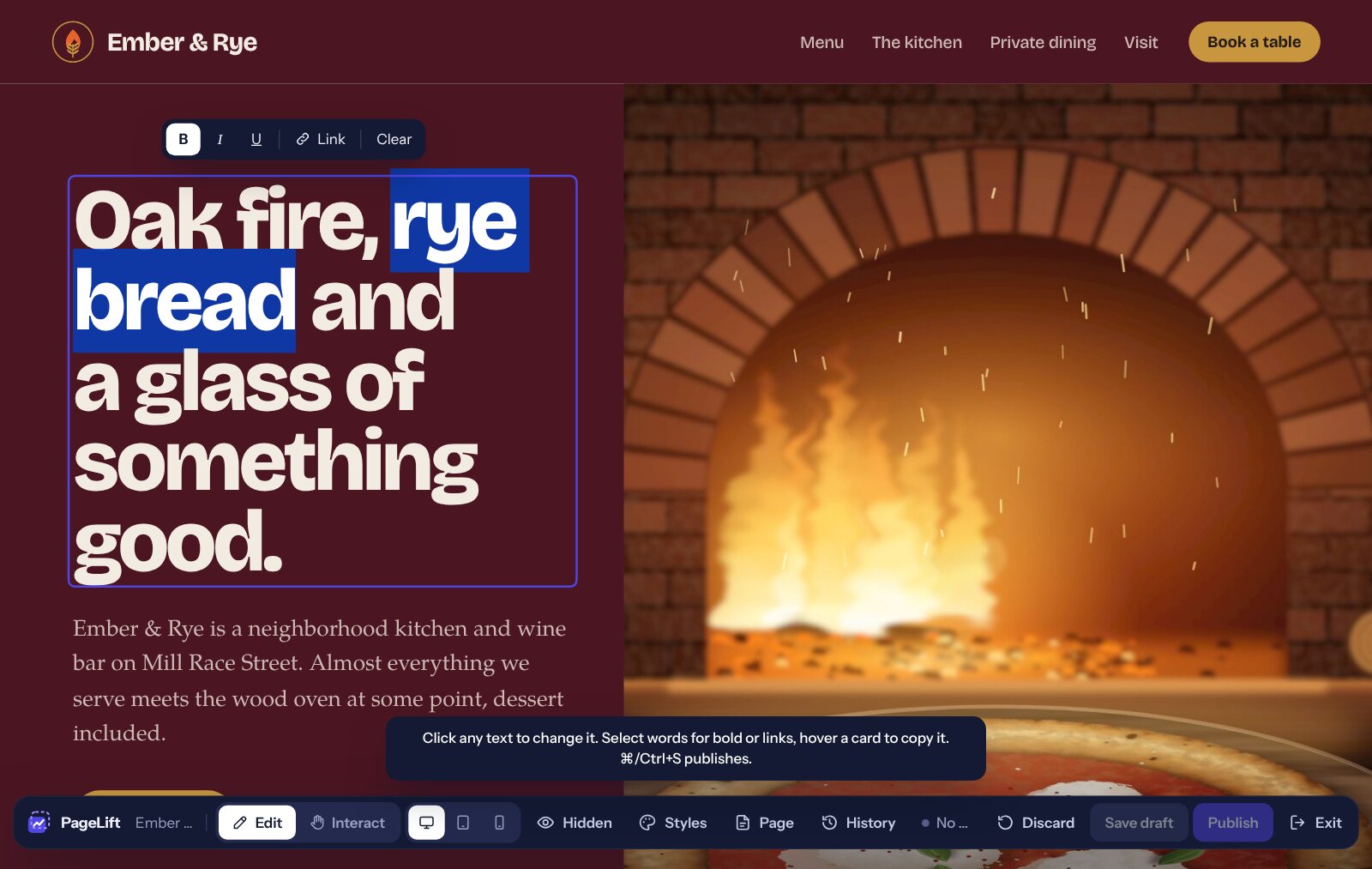
Click Publish. The live page updates at once, and caching plugins are cleared for you.

PageLift finds every headline, paragraph, button, picture, card and form in your page and makes it clickable, while the design stays exactly as it was.
Click any headline or paragraph and type. Select words to make them bold, italic, underlined or a link.
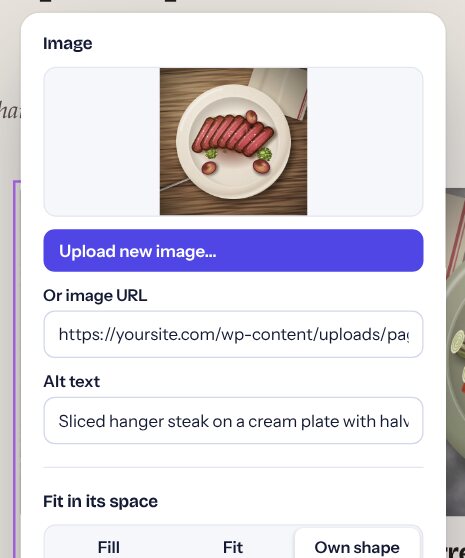
Click a picture to upload a new one from your computer or Media Library. It takes the old picture’s place and shape, so the page doesn’t jump. Click a button to change where it goes.
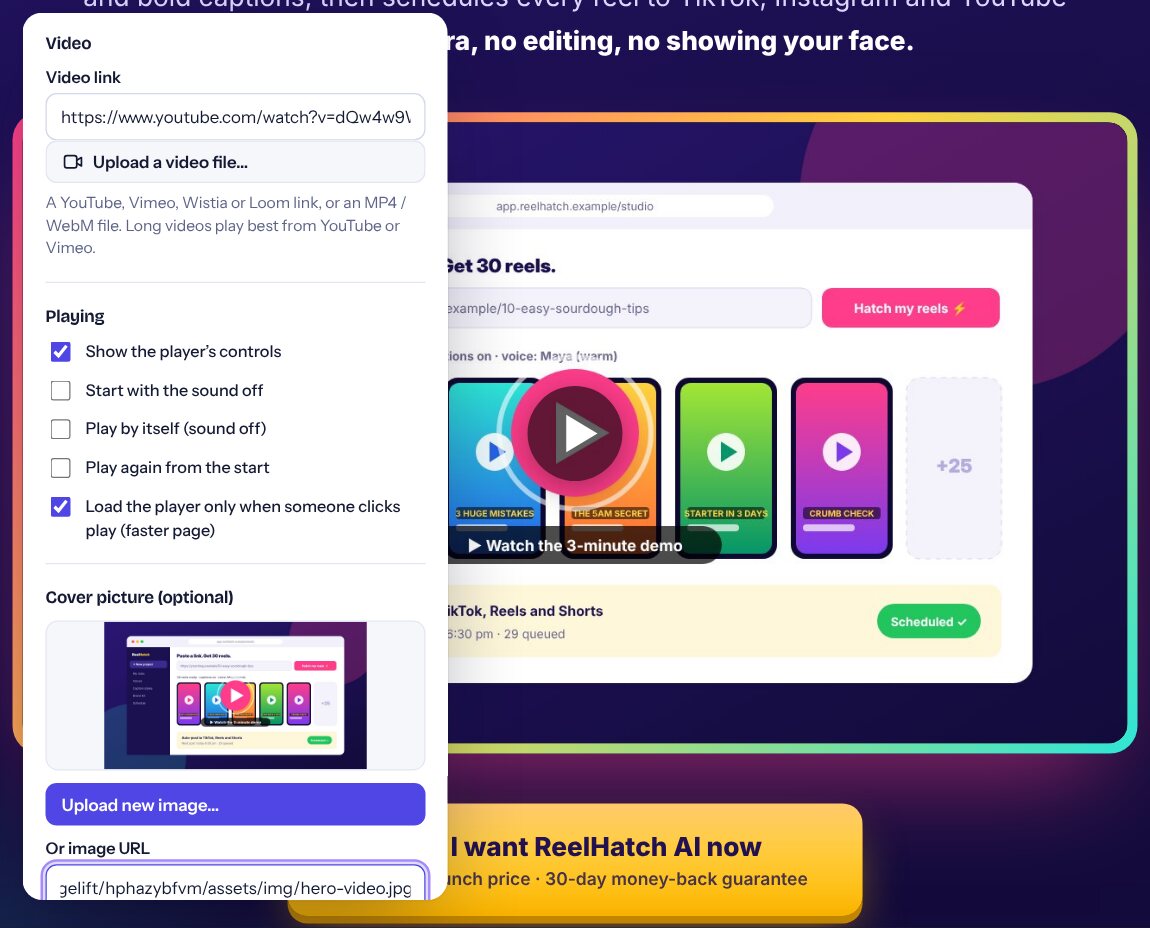
Paste a YouTube, Vimeo, Wistia or Loom link, or upload an MP4. The video takes the picture’s place and size, so your sales video goes exactly where the mock-up showed one.
Hover a card, a testimonial, a pricing plan, an FAQ or a menu link. Duplicate it, move it up or down, or remove it. The copy is fully editable.

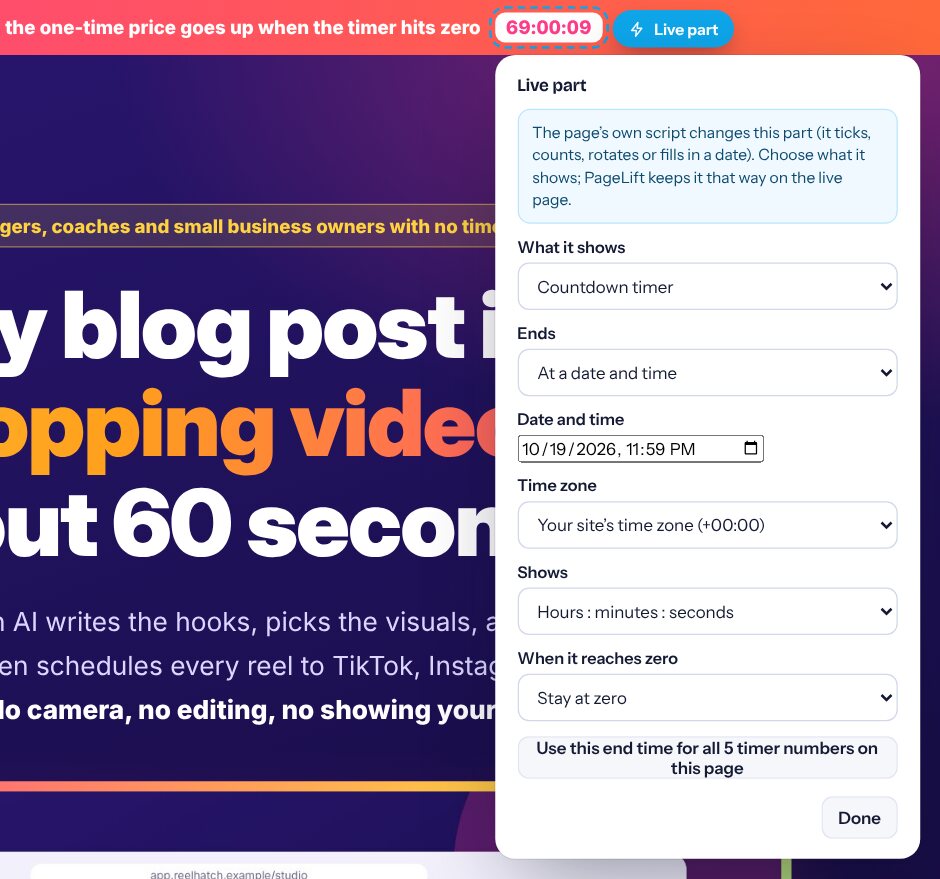
AI pages love a countdown timer, today’s date, a number that counts up or words that rotate. The page’s own script runs them, so normally you can’t change them. PageLift marks each one as a Live part: click it and choose what it shows.
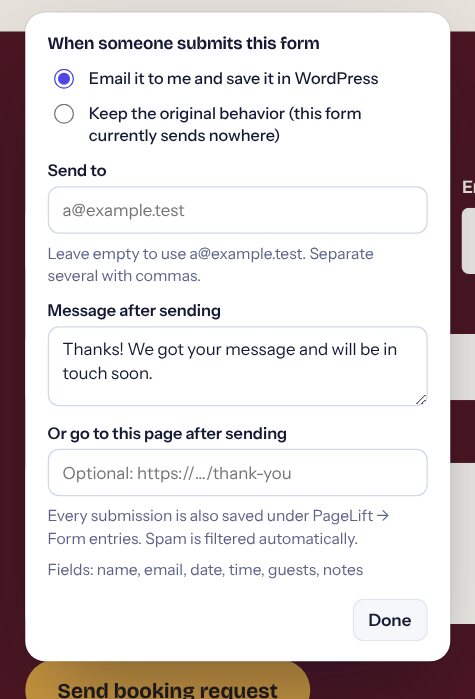
The contact form your AI wrote looks nice but sends nowhere. PageLift makes it work: submissions are emailed to you and saved in WordPress.
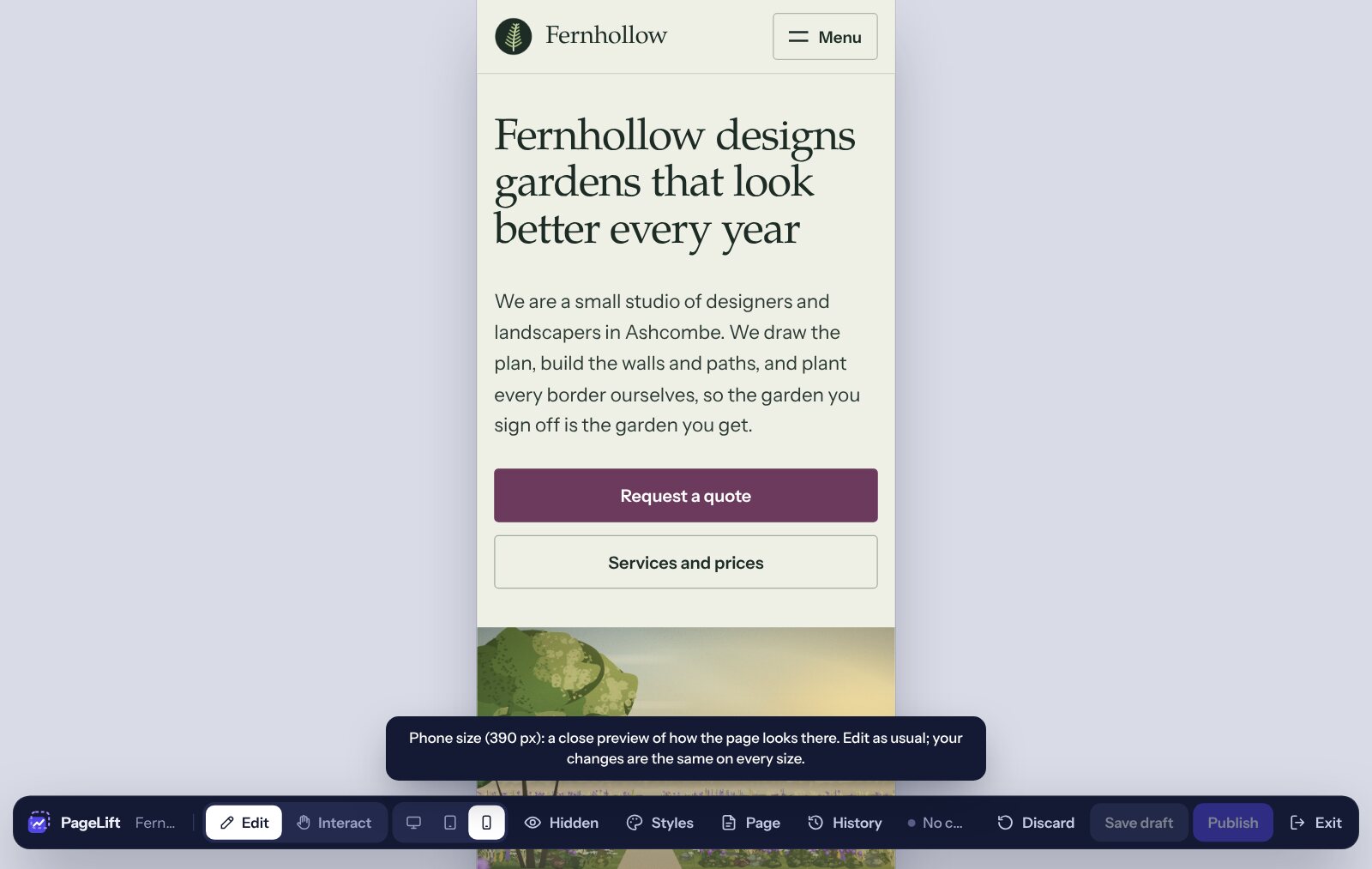
Click Hidden to show the menu tabs, slides and FAQ answers the page keeps tucked away, and edit them like everything else. The phone and tablet buttons show the page at that size while you edit.
Ask Claude for a better page and upload the new file. PageLift carries your changes over wherever that part of the page is the same, and tells you what it couldn’t.
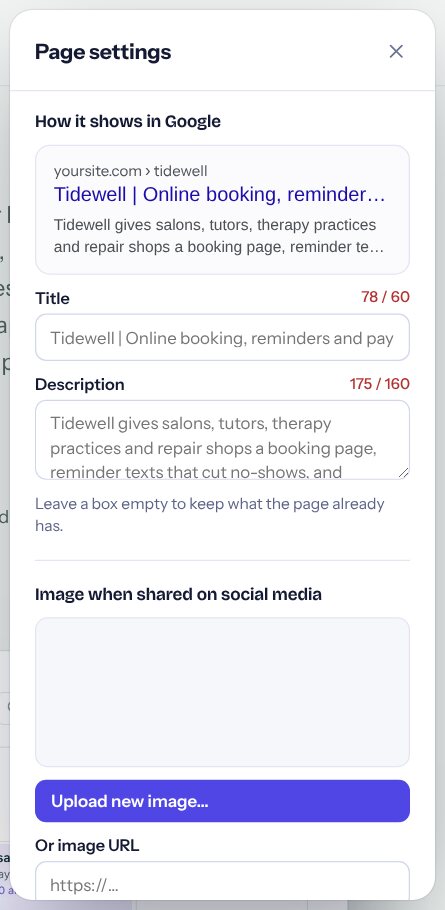
Set the title and description Google shows, with a live preview and length counters. Every page gets clean sharing and canonical tags.
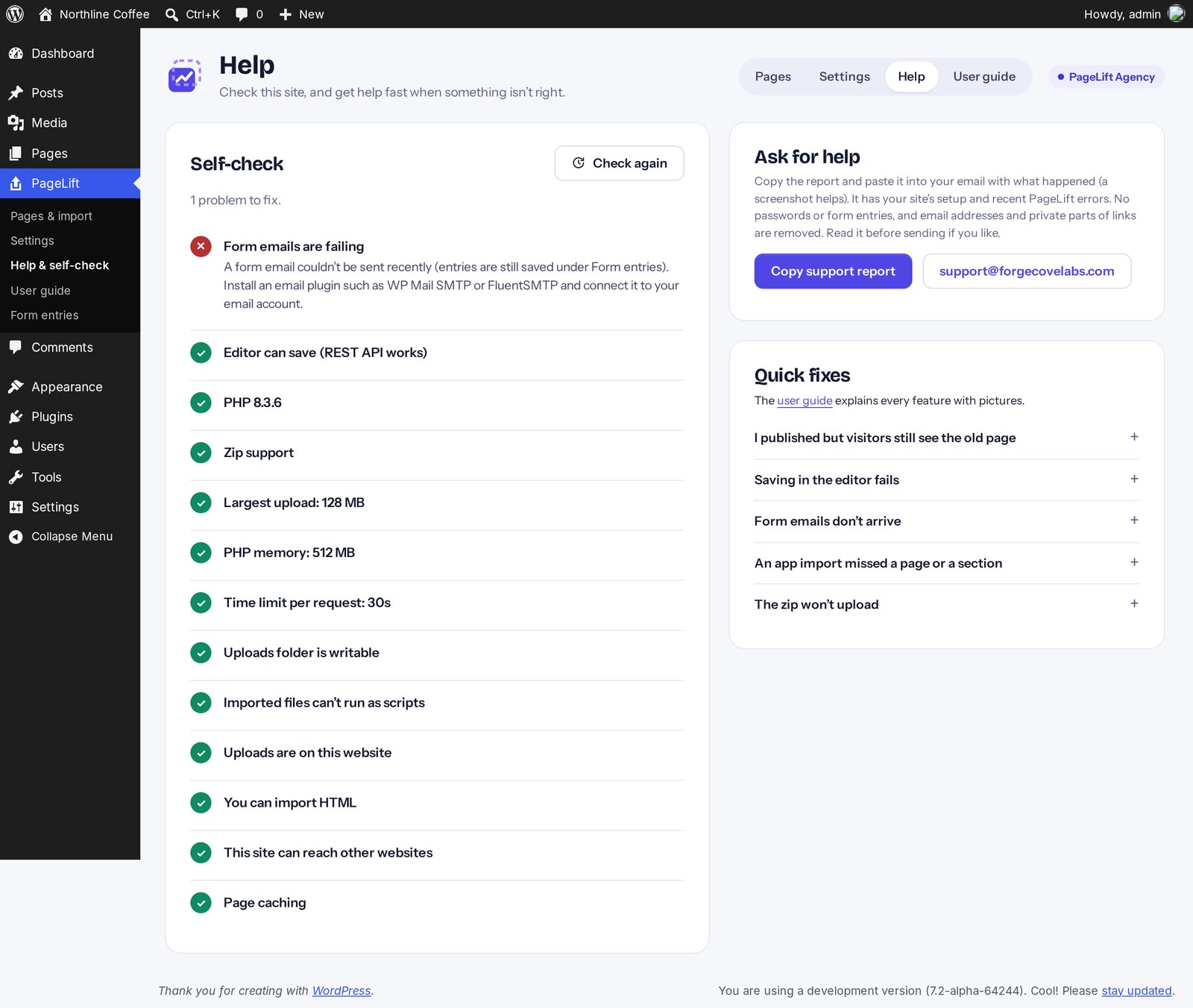
A self-check spots hosting problems before they bite, and one click copies a support report for us, so help is fast.
PageLift doesn’t rebuild your design in blocks. It serves the page you uploaded, so it looks the same on phones, tablets and desktops, with your theme left untouched for the rest of your site.
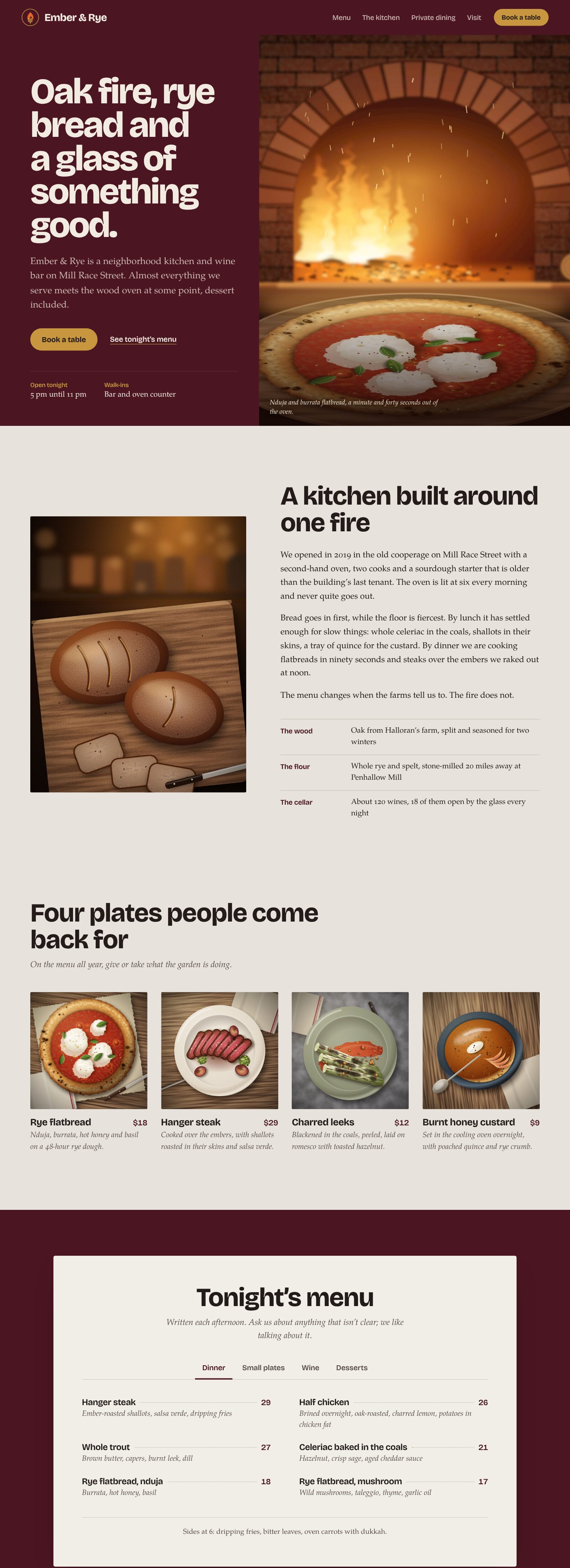

If it’s HTML, PageLift can make it editable. AI pages are where most people start, but the same three steps work for:
PageLift brings over everything you see on the page. Features that ran on the old site’s server, like logins, shopping carts or databases, stay with the original. Contact forms are the exception: PageLift makes them work.
| PageLift | Freelancer rebuild | Page builder import | Paste into WordPress | |
|---|---|---|---|---|
| Looks exactly like the original | Yes | Close | Rarely | Often breaks |
| You edit it yourself, by clicking | Yes | No, you ask them | Yes, after learning it | Only in code |
| Forms send and save entries | Yes | Extra cost | With add-ons | No |
| Upload a new version, keep your edits | Yes | No | No | No |
| Time per page | About a minute | Days | Hours | Minutes, then trouble |
| Cost | $27 once | $20–$120 per page | Yearly subscription | Free |
Both are one-time prices with a 30-day refund. Bought on their own, Pro is $47 (50 websites) and Agency is $97 (1,000 websites; Agency Starter $67 for 50), so the bundle saves you $44. You can also add them later, on the same key.
PageLift
For your own pages
$27
one time · 25 websites · updates included · licence never expires
PageLift Complete
PageLift + Pro + Agency, for your sites and your clients’
$127$171
one time · 1,000 websites · updates included · licence never expires
Want to see it on your own page first? Try PageLift free: drop in your HTML, zip or app link and edit it in a real WordPress, right in your browser.
The $27 PageLift is complete for your own pages: everything in its list works without an upgrade. After you buy you’ll see two optional offers, one after the other: Pro ($47; if you say no, the same Pro for $37 with 25 websites) and Agency ($97; if you say no, Agency Starter $67 with 50 websites). They add app import by link, whole websites, site-wide colors and fonts, drafts, and client tools. Say no to both and you go straight to your download. You can always add them later on the same key.
Building sites for clients? Client editing (clients change their own pages, you approve before it goes live) starts at $67 with Agency Starter for 50 websites, offered at checkout or any time later on the upgrade page.
Install PageLift and use it on your own pages. If it isn’t right for you within 30 days, ask for a refund and you’ll get it. Your pages stay online after a refund, they just can’t be edited with PageLift any more.
No. PageLift serves the page you uploaded instead of rebuilding it, so it looks the same as the file you tested. Your WordPress theme stays as it is for the rest of your site.
Any tool that gives you HTML: Claude, ChatGPT, Gemini, Copilot, DeepSeek, page templates, and designers’ files. Apps built with Lovable, Bolt, v0, Replit and similar builders can be imported by their published link with Pro (or exported as HTML and uploaded with PageLift).
No. Any HTML page works: bought templates, files from your designer, and older static websites, including ones exported from other site builders. What carries over is everything you see on the page. Logins, shopping carts and databases that ran on the old site’s server don’t come with it, but contact forms are made to work.
Yes. On trypagelift.com you drop in your own page (or pick one of our samples) and edit it in a real WordPress that runs in your browser, free. Click Save my progress to download your work; after you buy, upload that file to PageLift and carry on with every change you made.
No. You upload a file and click on the page to change it. The user guide inside WordPress walks you through everything with pictures.
Yes. PageLift pages don’t use your theme, so there’s nothing to clash with. SEO plugins like Yoast and Rank Math, caching plugins and analytics work alongside it.
Your published pages keep working. Editing and importing need an active licence; the pages themselves never switch off.
PageLift ($27): 25 websites. With Pro ($47 on its own): 50, or 25 with the $37 offer. Agency ($97 on its own): 1,000, or Agency Starter ($67): 50. PageLift Complete ($127): 1,000. You can move a licence from one site to another yourself, and a staging copy only uses one of your sites if you turn PageLift on there.
Yes, with Agency (included in PageLift Complete). Install PageLift on each client’s site, invite the client, and they change words and pictures themselves. With approvals on, their changes wait for you: you compare and approve in one click. You can lock prices or whole pages, and clients see your agency’s name, not PageLift.
No. You pay once and use it forever on your licensed sites. Your licence doesn’t expire: it only ends if the purchase is refunded or charged back. Updates arrive in WordPress like any plugin for as long as you hold it, and upgrades use the same key: nothing new to install.
A self-hosted WordPress site (version 6.2 or newer) with PHP 7.4 or newer, which is nearly every web host. It doesn’t work on WordPress.com’s free plans.
Email support@forgecovelabs.com. The Help screen in PageLift copies a support report with one click, so we can usually fix things in a single reply.
P.S. You already did the hard part: you have a page you like. PageLift gets it into WordPress exactly as it is, so you can keep improving it yourself, any time, without a developer.
PageLift is software for WordPress. It doesn’t guarantee search rankings, traffic, leads, sales or income; results depend on your pages, your offer and your market. AI app import captures what an app shows on screen; features that need the app’s own code (logins, databases, payments) stay with the original app. Lovable, Bolt, v0, Replit, Base44, Cursor, Claude, ChatGPT, WordPress and other names are trademarks of their owners; ForgeCove Labs isn’t affiliated with or endorsed by them. “Use forever” means the version you buy keeps working on your licensed sites. Updates arrive through WordPress while your licence is active. Refunds follow our refund policy.